
Off-white
Same workflow.
Faster work.
Fast, convenient and precise CAD.
For DWG, DXF, XREF and LISP workflows.
Windows · Ubuntu · 7-day free trial
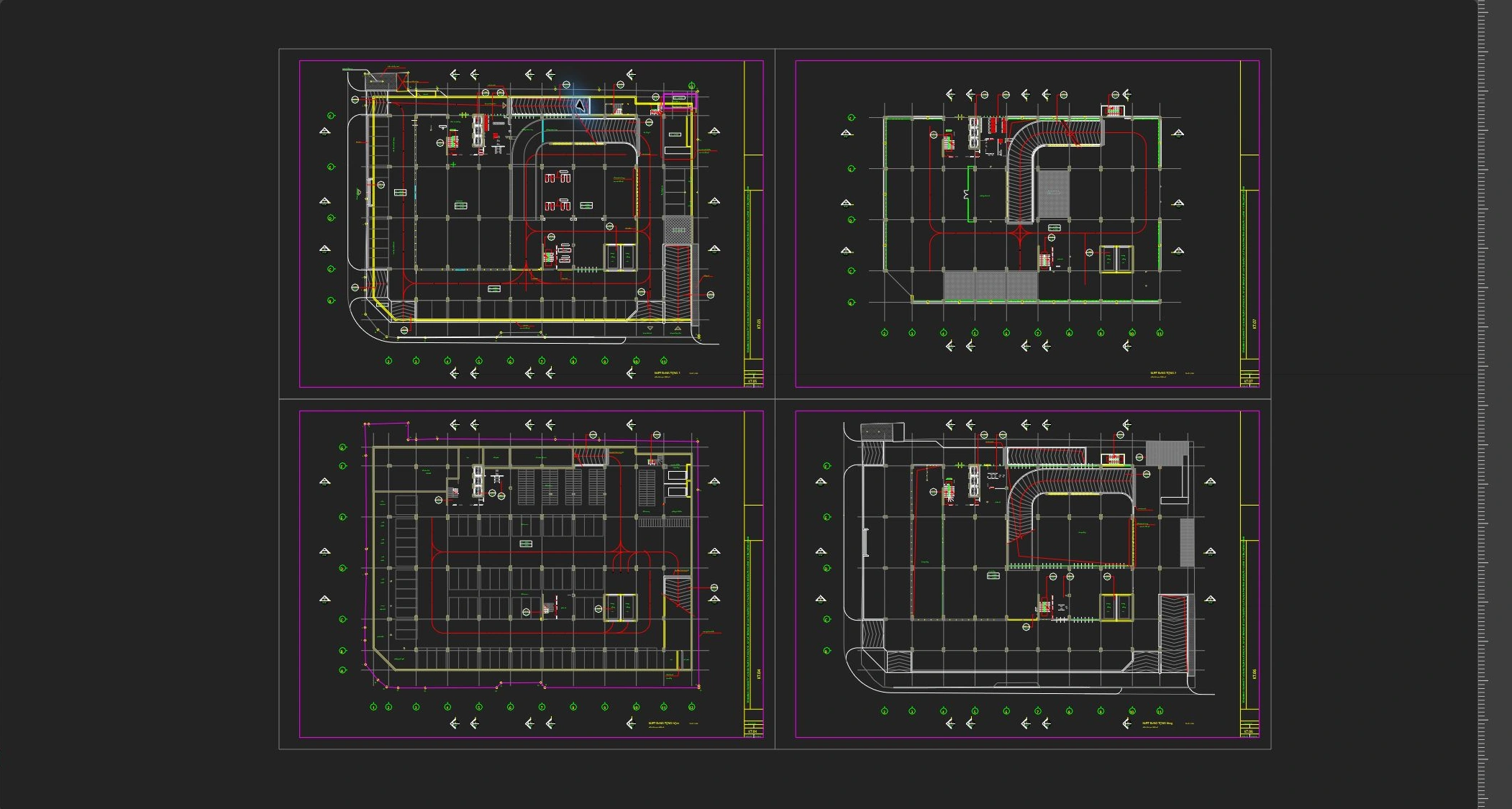
DWG · Layers · Linked drawingsComplete parking DWG drawings · captured in v1.5.7
Native CAD for
DWG, XREF, LISP.
Build on existing work.
Buy once.
Keep using it.
Native performance
for drawing work.
Native CAD built in C++.
Try your own drawings before you purchase.
Measured repeated-query processing time.
We compared repeated calculation with querying prepared results for the same outline.
| Operation | Median / operation |
|---|---|
| Reference area calculation | 2.418 μs |
| Prepared area query | 0.0021 μs |
| Initial preparation | 8.896 μs |
2026-10-11 · Intel Core i5-14600K · Linux x86_64 · Release core · 24 curve spans · 300,000 queries per run · median of 5 runs after warmup.
This is an internal core-operation measurement, not a large-DWG loading, zoom/pan or competing-CAD comparison. Windows workspace performance will be published after testing the same drawing under documented conditions.
Keep your drawings
and automation assets.
DWG/DXF, references, blocks and LISP.
Start with the workflow you know.
DWG · DXF drawings
Open and edit existing drawings. Check display, editing and saving with a copy of an important file first.
Import SHX fonts you own after review and approval, and display supported SHX characters as vectors. Support depends on the font format and character.
XREF · layers · blocks
Work with linked drawings, organize layers and reuse blocks. Check reference paths and clipping in the drawing workspace.
LISP automation
Use LSP scripts with supported AutoLISP syntax and CAD APIs. Automate repeated work and check the scope of your existing scripts.
Check the supported scope.
Includes variables, functions, branching, loops, coordinate math and selected selection/entity APIs. This does not imply 100% compatibility with all AutoLISP.
Visual LISP/ActiveX VLA-/VLAX- APIs are not included in the current supported list.
Familiar commands.
One drawing workspace.
A catalog of 127 commands.
Use the command line alongside on-screen tools.
Drawing and editing
Create lines, circles, curves, dimensions, text and hatches. Move, copy, rotate, trim and offset drawing elements.
CO (COPY) places repeated copies while preserving the original. ST (STRETCH) edits line endpoints and polyline vertices inside a crossing selection. Blocks are copied without exploding them.
Split views · navigation
See different drawing areas at once. Keep the overview while editing details and navigate with zoom and pan.
Bring your existing CTB files.
Import existing CTB plot styles and apply supported colors, lineweights, screening, grayscale and linetype settings. Continue to Windows printing and PDF output with plot styles enabled.
In addition to importing CTB files, create and save CTB files using color, monochrome and grayscale presets.
Set paper and scale together.
Choose A0–A4 paper and portrait or landscape orientation, then enter a scale such as 1:100. Use automatic fit or check the print region at your chosen scale.
The placement anchor stays fixed when paper, orientation or scale changes. Review sheet dimensions and margins in the preview.
Save your regular print settings.
Save paper, orientation, scale, margins and printer selection as a named print preset, then load it for your next drawing. Spend less time repeating the same setup.
Measure & dimension
Measure area, length, angles and section moments, and set dimension styles.
Arrays & precision
Arrange objects along curves with snaps, grids and ruler guides.
Review & exchange
Review drawing history and use 3DM, SVG and PDF exchange commands. Support varies by format and object.
A closer look at your workflow.
Click or hover for 0.8 seconds to expand real captures. They close 0.6 seconds after you leave.
Keep your plotting workflow.
Load your CTB file with CTBIMPORT, then enable plot styles with CTBON. Toggle the style display with CTBTOGGLE, and use it for Windows printing and PDF output. Check important output against your existing reference print.
CTB import support varies by file format and setting. Windows v1.5.35 imports CTB files; CTB creation is shown in the v1.5.35 captures.
Using existing plot styles →Buy once.
Keep using it.
A perpetual standard license with no recurring subscription.
A one-year license for students.
Standard · perpetual
990,000 KRWThe purchased standard license has no time limit. Periodic online approval checks are required.
Domestic price · VAT includedStudent · one year
33 USD / yearVerify a school email and pay to use the same drawing features for one year. Renew through email verification and payment.
School-mail access verification · VAT included7-day free trial
7 daysTry your own drawings on your own computer.
Windows x64Please pay with PayPal. A payment receipt is provided instead of a separate tax invoice.
Pricing · purchase ↗The standard PayPal checkout is US$660 including VAT. Student licenses cost US$33 per year after school email verification. KG Inicis and Naver Pay are coming soon; currently, payment uses PayPal.
Your drawings.
Processed on your computer.
Device approval and local drawings.
Clear guidance for life after purchase.
Fast, convenient and precise CAD
Edit with familiar commands and precision tools, then continue to measurement and plotting.
TPM-based device approval
Windows device registration uses a TPM-backed key and server-signed license grants. You do not need to manage a separate serial number.
Activation without drawing uploads
Device registration and activation do not send drawing files. Drawings and working files stay on your computer.
Continue when you change computers.
An administrator-reviewed transfer is prepared for replacement, loss or hardware failure. New-device approval may wait up to seven days for the old offline lease to expire.
Registration · activation · device transfer →TopoSnap downloads
Download the Windows installer and start with your own drawings.
Before you purchase.
Will every DWG and LISP work unchanged?
Results depend on file versions, object types and the LISP APIs used. Check copies of important drawings and scripts first.
Does perpetual mean permanently offline?
It means the standard license has no time limit. Periodic online revalidation is required; reconnect when the signed offline lease expires.
How do I renew a student license?
From 30 days before expiry, verify your school email again and pay US$33 to renew for a year. Mail verification does not directly query school enrollment records.
Can our business use TopoSnap?
Use the B2B form below to ask about rollout pricing and installation.
How can we help?
Ask about the product, installation or purchasing.
Company rollout · B2B quote request →
[email protected] ↗Tell us what happened.
Include the app version, operating system and the steps before the problem.
Drawings, attachments and diagnostic files are not collected automatically.
Planning a company rollout?
Tell us about your rollout and workflow. We’ll respond by email.